Meet the Whatever AI Assistant!
Built as part of the Microsoft Agents League Contest — February 2026.
Agent category: Enterprise Agents


Created by
Franck Cornu
Microsoft 365 Copilot/AI Architect · M365 Development · Copilot Extensibility
"One agent to greet them, many agents behind the scenes — whatever your question, WAIA has you covered." 🚀
Overview
This agent was developed for the Microsoft Agents League Contest held in February 2026. It demonstrates a multi-agent system answering HR and IT questions, leveraging Microsoft Foundry Agent Service, Microsoft 365 Copilot, Microsoft 365 Agents SDK, and an MCP server. It has been designed with the following concerns in mind:
- 🚀 Production-ready — Not just screenshots or a "works on my machine" sample. A full working solution with fully automated deployment in an Azure environment you can replicate in your own company.
- 🔧 Flexible & extensible — Want to add a Finance agent, a Legal agent, a Facilities agent? No problem — the architecture is designed to be easily scalable and adaptable to different use cases.
- 💡 Real-world insights — Tips, tricks, and strategies from actual implementation — not just theory. See Implementation strategies.
See it in action
Watch the Whatever AI Assistant in both Microsoft Teams and Microsoft 365 Copilot
📺 Teams experience
💡 Copilot experience
The complete architecture can be seen here.
Here's what the Whatever AI Assistant brings to the table:
Multi-Agent Routing with Streaming
The solution uses a multi-agent system to address user queries across various topics (HR & IT in this sample). We leverage the Copilot Retrieval API for content grounding, narrowed to specific domains and configurations. The multi-agent system is orchestrated by a workflow agent that routes user queries to the appropriate specialist agent. Below is a visual representation of the workflow:
For instance the question "How can I reset my password?" would be routed to the IT agent, while "What is the leave policy?" would be routed to the HR agent without the user noticing.
To improve user experience, we use the OpenAI Responses API streaming capability coupled with Teams streaming:

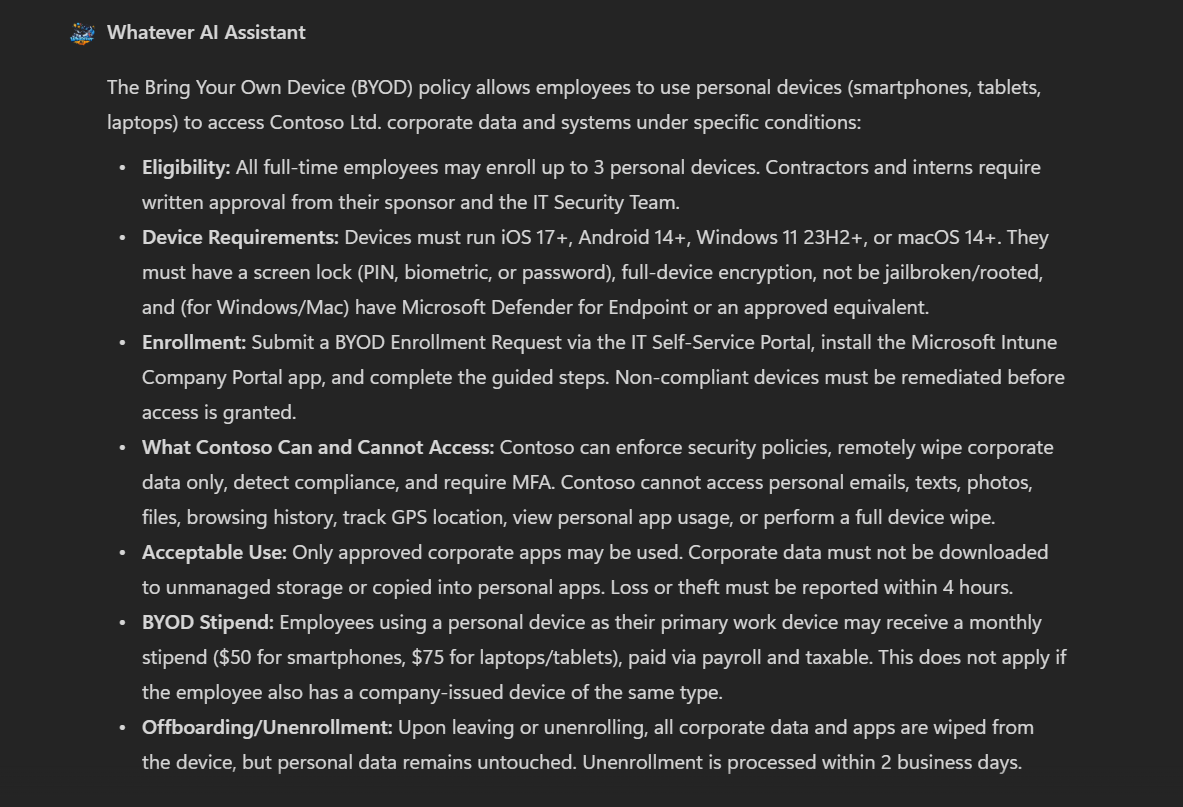
We use GPT 4.1 for all the agents as it is sufficiently capable of handling both the routing and the question-answering tasks in this scenario. However, the architecture is model-agnostic, so you can choose different models for different agents based on their specific needs and complexity
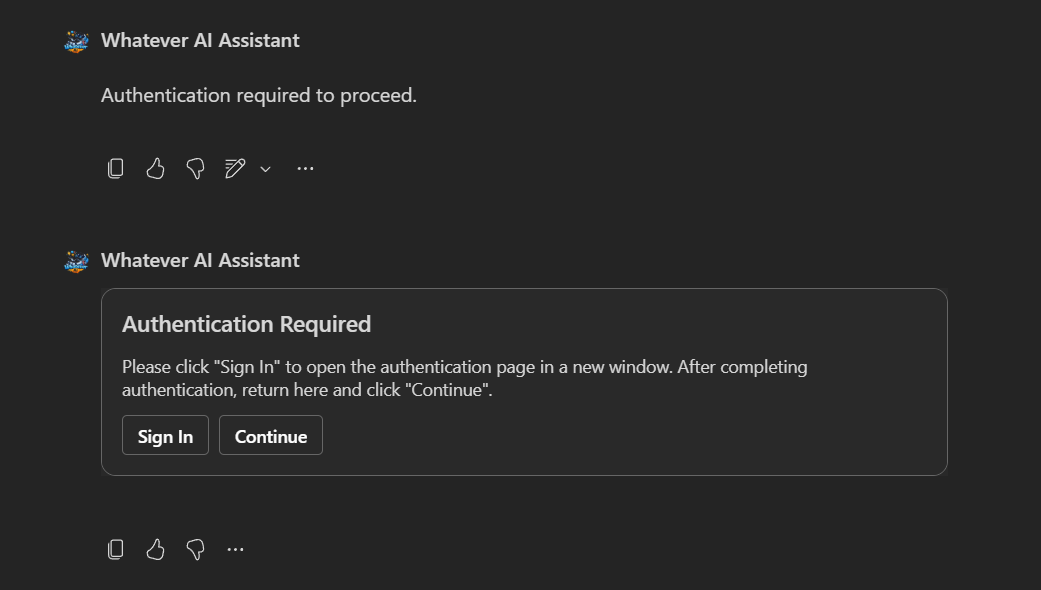
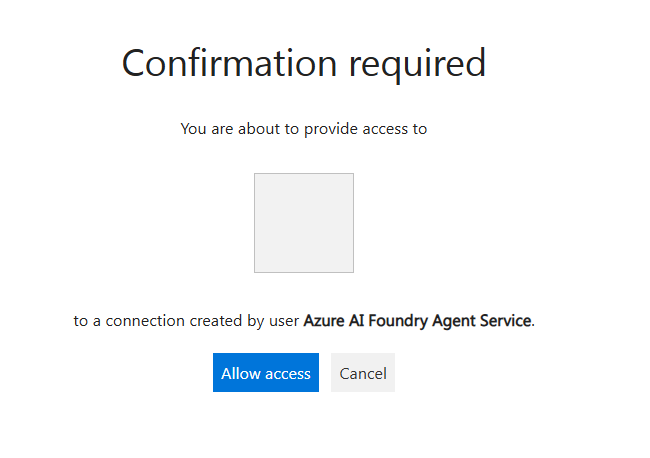
Secure MCP Server with OAuth Identity Passthrough
Leverage the Agent Service MCP OAuth Identity Passthrough feature to securely make requests on behalf of the current user through MCP tools.
Write Operations Through MCP Tools
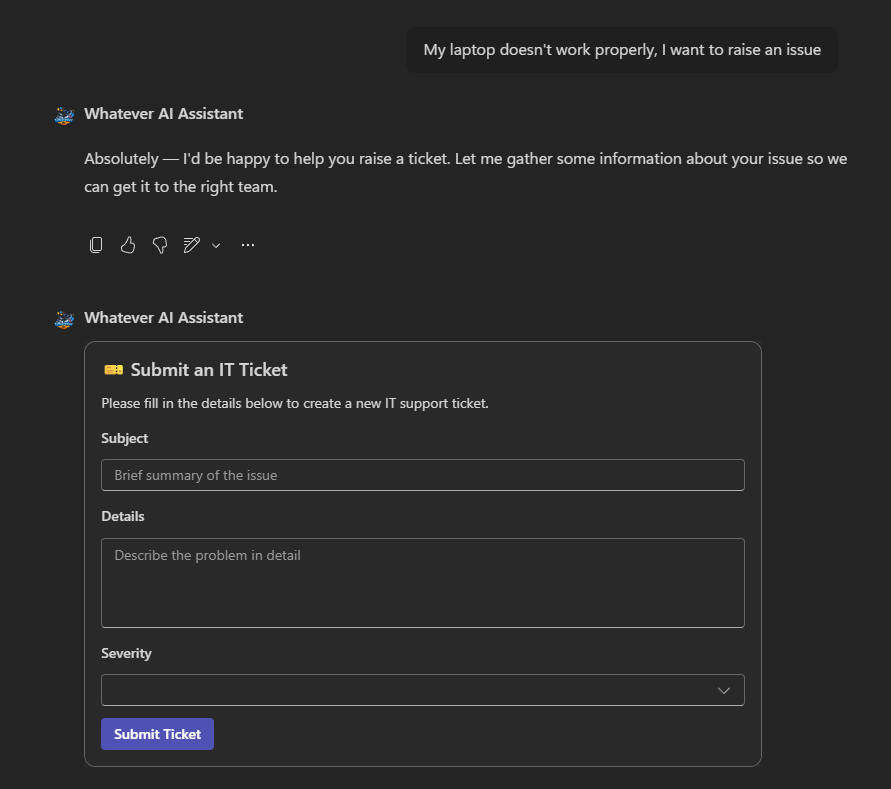
The solution showcases how to integrate LLM and Teams/Copilot channels seamlessly for information gathering — for instance, collecting specific details for a ticket through a controlled form after a user request.
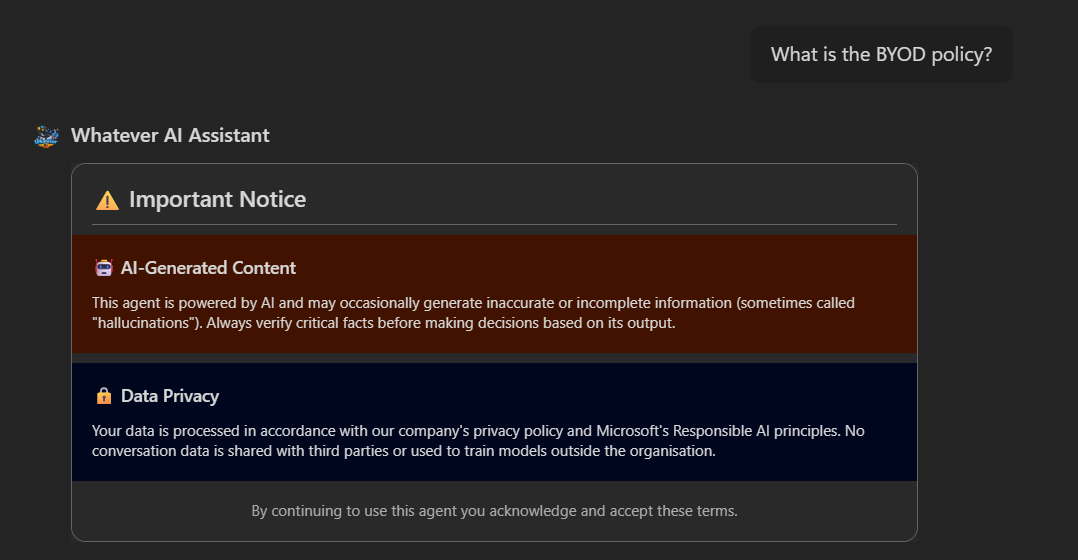
Custom Disclaimer on New Conversation
A custom disclaimer is displayed as an Adaptive Card on first interaction or new chat sessions to set expectations with users. It enhances the default Copilot/Teams disclaimer feature, tailored to company requirements.
Human in the Loop — MCP Tool Approval
Catch tool approval requests from the agent and integrate an approval process directly in Teams or Copilot via a dynamic Adaptive Card.
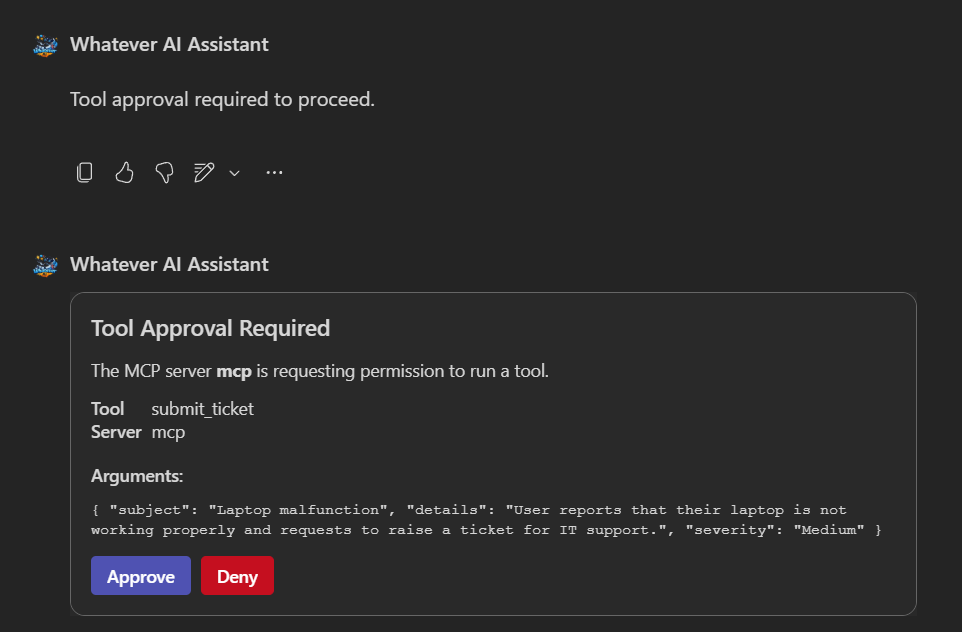
Tool approval is only supported by prompt agents, not workflow agents.
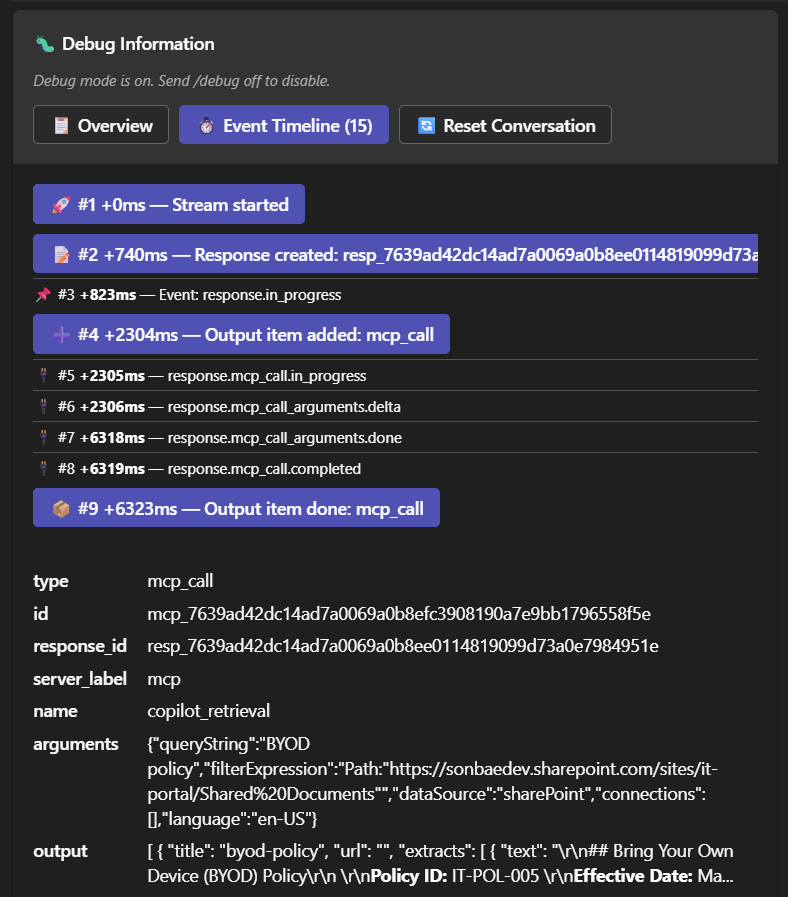
Built-in Debug Mode
Knowing why your agent gave a wrong answer is key to improving it. This solution includes a special /debug on|off command that displays the agent's reasoning and steps taken for each query, right in the Teams or Copilot channel via an Adaptive Card. This avoids costly back-and-forth with the analytics backend and lets you quickly spot and fix issues in the agent configuration, tools, or knowledge base.
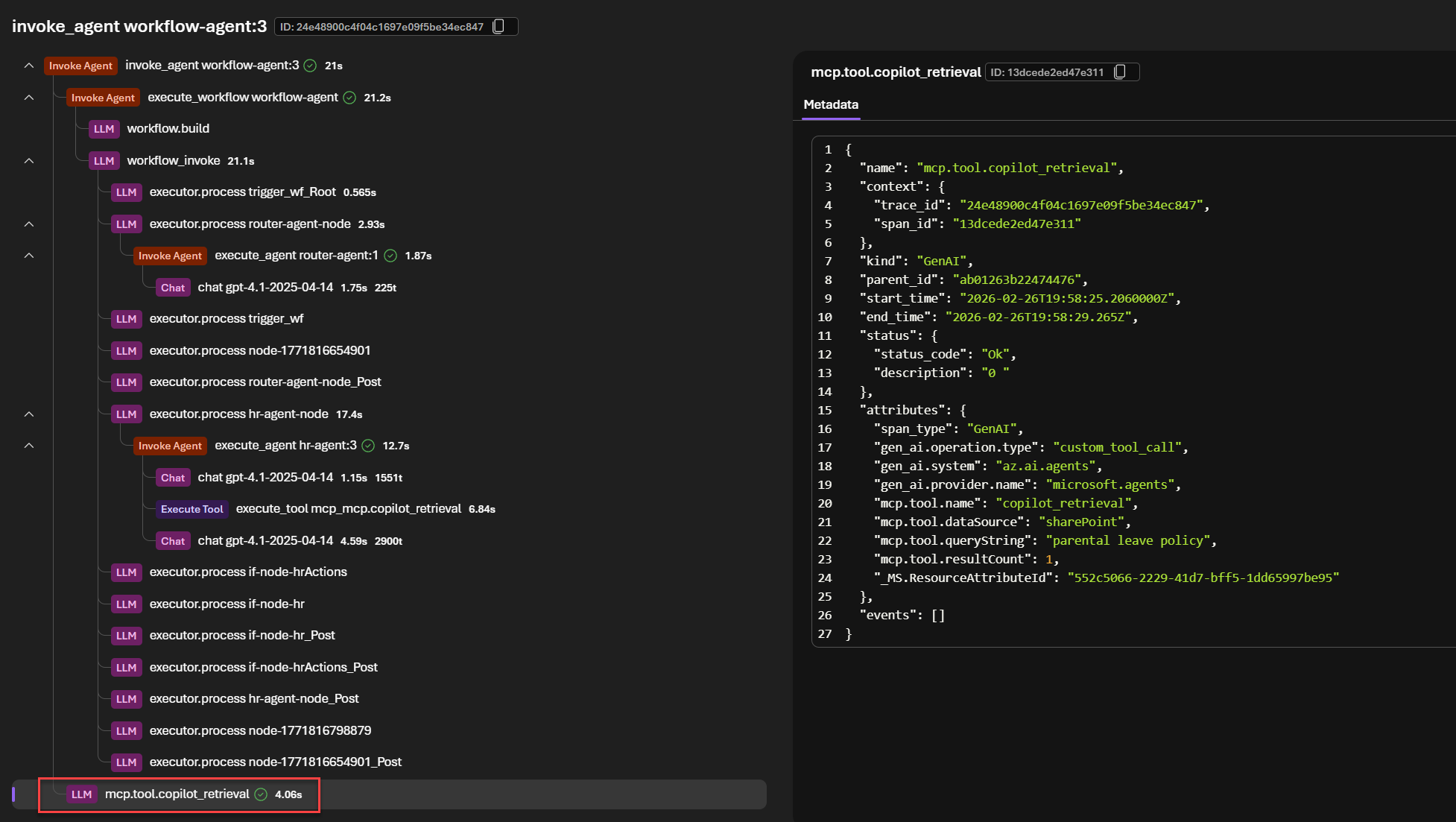
OpenTelemetry Integration for MCP Tools
The solution demonstrates how to integrate OpenTelemetry with HTTP headers with propagation (traceparent) in MCP tools to capture detailed telemetry for all interactions with the MCP server — including tool calls, responses, and errors. This allows developers to monitor and troubleshoot their agents more effectively, with insights directly integrated into the Foundry portal via Application Insights.
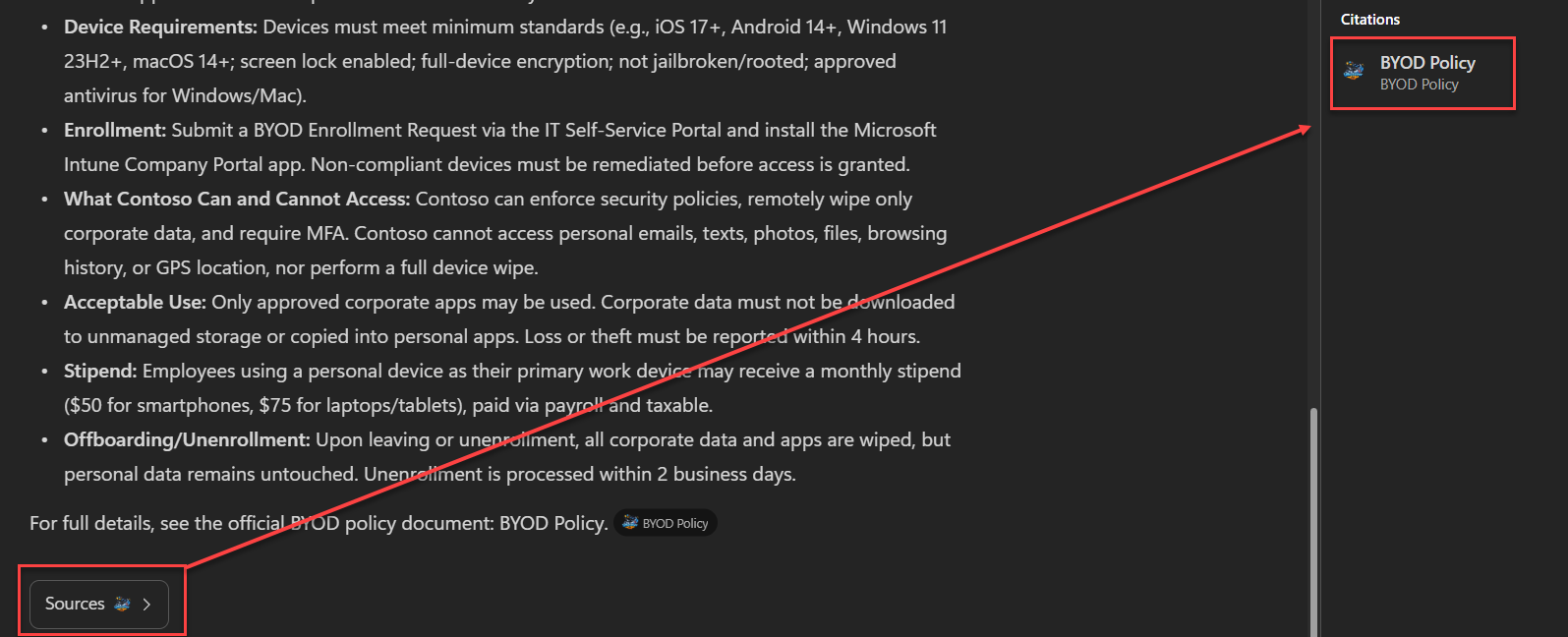
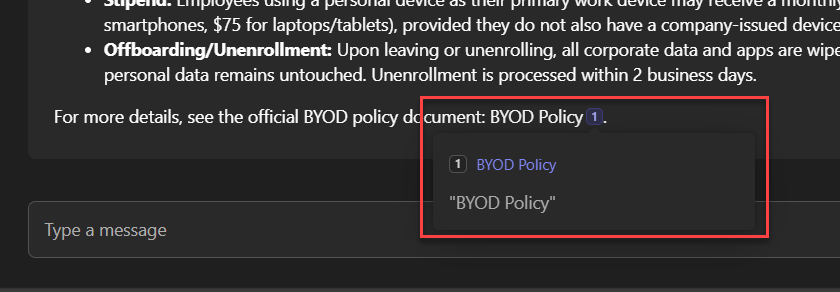
Citations Handling
The solution properly handles links and references sent by the agent for both Teams and Copilot experiences:
More than a sample, a reusable pattern!
This solution is more than a sample — it's a reusable pattern you can apply in your own company.
We provide a full end-to-end working implementation of a multi-agent system integrated with Microsoft 365 Copilot Chat and Microsoft Teams, leveraging Microsoft Foundry workflow agents and the Microsoft Graph API. The solution features a secure OAuth integration for external MCP server interactions, multiple Adaptive Cards for enhanced user experience, and a connected agents architecture to handle different types of employee inquiries.
Why this pattern matters?
- 🧩 Anti-Agent Sprawl
- 🏢 Enterprise Grade with Foundry Agent Service
- 💡 Maximize Copilot Investment
By using agent service and workflow agents, it maintains one facade with a more complex backend of agents that can be updated and improved without impacting the user experience. The user doesn't need to know about every single agent the company developed. Companies tend to multiply agents thanks to all the tools we have now to create ones (Copilot Studio, SharePoint agents, etc.). It can become complicated for users to know which agent to ask for what.
Using Microsoft Foundry Agent Service offloads many time-consuming aspects of developing AI solutions. It streamlines many aspects of agent development for common requirements, such as:
- Agent configuration and deployment.
- Standalone agents or multi-agent solutions via workflows.
- Support for private networking scenarios to comply with hard environment constraints.
- Fine-tuning capabilities for specific base models.
- Agent testability via built-in and customizable evaluation tools.
- Built-in guardrails.
- Built-in memory management.
- Monitoring via built-in integration with Azure Monitor/Application Insights and OpenTelemetry.
Because it is an Azure resource like any other, it also means all the infrastructure provisioning can be automated using Infrastructure as Code (IaC) tools like Bicep or Terraform, which is essential for maintaining consistency across different environments (development, testing, production).
When your agents need Microsoft 365 data (e.g., SharePoint documents), use the built-in Copilot stack — not a custom storage solution. The Copilot Retrieval API gives you direct access to the Microsoft 365 semantic index, which is already indexing your tenant's content behind the scenes.
Why built-in over custom?
| Built-in (Copilot Connectors) | Custom (e.g., Azure AI Search) | |
|---|---|---|
| Security & compliance | ✅ Automatic — permissions, sensitivity labels, and data residency handled by M365 | ❌ You must replicate permission enforcement and keep it in sync at all times |
| Cost | ✅ Already included with Copilot licenses | ❌ Additional infrastructure and maintenance costs |
| Reusability | ✅ Same connectors work across custom engine agents, Copilot Studio, and Agent Builder | ❌ Tied to your specific implementation |
| Maintenance | ✅ Microsoft handles scaling, updates, and optimizations | ❌ You own the full lifecycle |
| Indexing control | ❌ Opaque — no control over chunking or embeddings | ✅ Full control over the indexing pipeline |
The only trade-off is that you don't control the indexing process. But in most enterprise scenarios, the security and compliance benefits far outweigh the need for custom indexing.
Indexing Microsoft 365 data in a custom solution requires replicating permission enforcement, keeping document lifecycles in sync, and respecting data residency — essentially rebuilding what M365 already provides. This should be reserved for very specific use cases where custom indexing is truly required (which is rarely the case). Even then, Microsoft still recommends the Copilot Retrieval API. Skipping these constraints may lead to serious security issues.
However, if the data has no permission or compliance requirements, custom storage like Azure AI Search is perfectly acceptable.
Contest criterion
Microsoft 365 Copilot Chat Agent
The agent is fully accessible within both Microsoft 365 Copilot Chat and Microsoft Teams, providing a seamless conversational experience across platforms.
External MCP Server Integration (Read/Write)
The solution integrates an external custom MCP server supporting both read and write operations. The copilot_retrieval tool handles knowledge retrieval from SharePoint, while the submit_ticket tool enables users to submit IT support tickets — all through the MCP protocol.
OAuth Security for MCP Server
All MCP server interactions are secured using Microsoft Foundry's OAuth Identity Passthrough, ensuring secure authentication and authorization with delegated permissions only.
Adaptive Cards for UI/UX
The solution uses multiple Adaptive Cards to deliver a rich, interactive experience:
🐛 Debug card
For developers to inspect agent reasoning and steps taken
🎫 Ticket submission form
To collect structured issue details
⚠️ Disclaimer card
Displayed on first interaction or new chat sessions
🔐 MCP tool approval card
With approve/deny actions (single-agent setup only)
Connected Agents Architecture
A multi-agent architecture powered by Microsoft Foundry workflow agents, featuring four specialized agents:
📋 HR Agent
Answers HR policy questions
🖥️ IT Agent
Answers IT policy questions and facilitates ticket submission
🛡️ Fallback Agent
Gracefully handles off-topic queries
🔀 Router Agent
Classifies user intent and routes to the appropriate specialist